Guide: your first quest
A complete, start-to-finish example: writing a quest, assigning it to an NPC, and placing that NPC in the world. This is the fastest way to see the whole system working together.
Step 1: Write the quest
Create a file, for example Configs/Quests/starter.cfg:
[wolf_pelts]
Kill
Wolf Culling
The village needs wolf pelts. Bring me 5.
Wolf, 5, 1
Item: Coins, 50 | Skill_EXP: Bows, 20
0
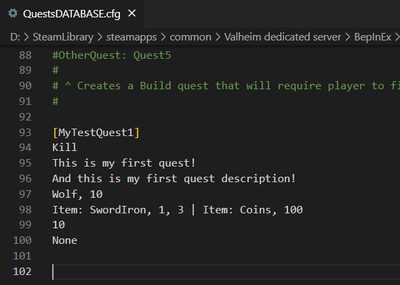
What this says:
- Quest type
Kill, targetingWolf, 5 of them, requiring at least star level1— see the target line format on Quests. - Reward: 50 Coins and 20 Bow skill experience.
- Cooldown
0— the quest can be repeated right away. - No unlock requirement — leaving the last line empty means it is available immediately.
Full field-by-field reference: Quests.
Step 2: Give it to an NPC
Quests are not attached directly to an NPC — you assign them through a profile. Create Configs/QuestProfiles/starter.cfg:
[village_elder]
wolf_pelts
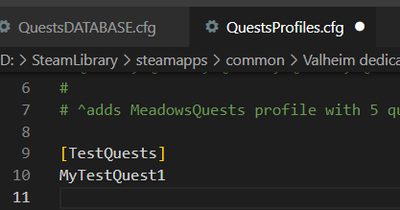
Any NPC set to profile village_elder will now offer this quest. Full reference: Quest Profiles.
Step 3: Place the NPC
With admin access, open the build menu and select the Marketplace Hammer. Place an NPC, then in its settings:
- Type:
Quests - Profile:
village_elder - Optionally set a Name Override, a Dialogue, and appearance settings.
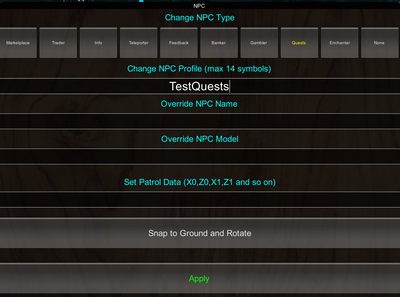
Full reference: NPC system, Marketplace Hammer.
Step 4: Test it
Both files apply automatically within a moment of saving — no restart needed (see Hot reload). Talk to the NPC, accept the quest, kill 5 wolves, and turn it in.
What this looks like in-game
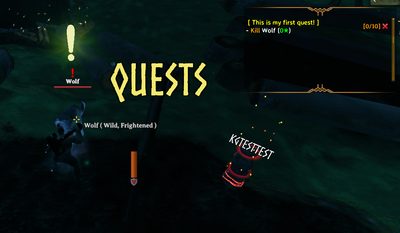
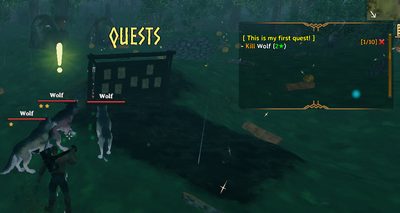
Once accepted, the target creature gets a marker so the player can find it:
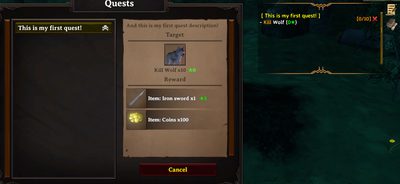
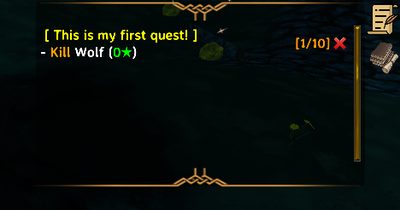
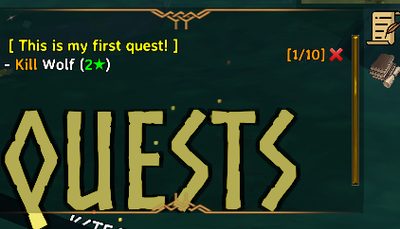
Progress updates automatically as kills come in — the journal tracks how many of the required kills are done so far:
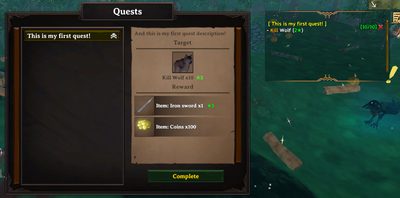
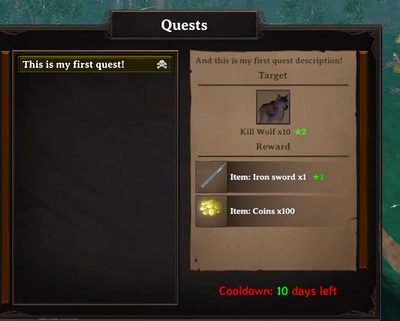
Turning the quest in at the NPC hands out the reward:
Trying a different level requirement
The level field on a Kill target is the minimum star rating the creature must have, exactly as written — no hidden offset to account for. Change the target line from Wolf, 5, 1 to Wolf, 5, 2:
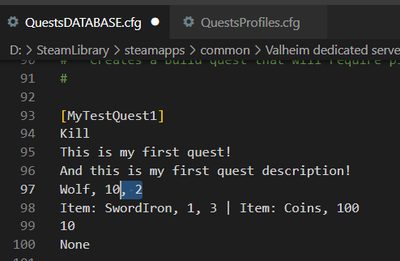
...and the in-game requirement changes to match — only 2-star-and-above wolves count now, shown by the marker over qualifying wolves:
| Target updated | Marker on a qualifying wolf |
|---|---|
 |
 |
If the quest does not appear
- Check the server console for a parsing error — most mistakes are logged there, in red, with the file and line number.
- Confirm the quest ID in
QuestProfilesmatches the quest's own[header]exactly — spacing and capitalization do not matter, but typos do. - Confirm the NPC's Profile setting matches the
[village_elder]header exactly. - If you edited an existing file and nothing changed, make sure you saved it and are editing the copy the running server actually uses.
Related
- Quest chains — link several quests into a story sequence.
- Dialogue trees — give the NPC a full branching conversation instead of just a quest list.