File structure
A map of every folder and file the mod creates or uses, and what lives where. For how to install the mod itself, see Installation on the main page.
First run
Start the server once after installing. On first run, it creates a Marketplace folder under BepInEx/config/ and fills in the subfolders below.
Server folders
Present on a dedicated server, or on a client hosting a game (or a singleplayer game with local mode turned on — see Server, client, or singleplayer):

BepInEx/config/Marketplace/
├─ Configs/                        ← all content configs, see ../configs/
│  ├─ Quests/
│  ├─ QuestProfiles/
│  ├─ QuestEvents/
│  ├─ Dialogues/
│  ├─ CustomSpawnData/
│  ├─ Territories/
│  ├─ Traders/
│  ├─ Bankers/
│  ├─ Teleporters/
│  ├─ Gamblers/
│  ├─ Buffers/
│  ├─ BufferProfiles/
│  ├─ Transmogrifications/
│  ├─ ServerInfos/
│  ├─ LeaderboardAchievements/
│  ├─ SyncedLocalizer/
│  ├─ Factions.yml
│  └─ RandomNpcSpeech.yml
├─ DiscordWebhooks/
│  └─ DiscordSettings.cfg
├─ DistancedUI/
│  └─ DistancedUI.cfg
├─ PlayerTags/
│  └─ PlayerTags.cfg
├─ SavedData/                      ← the mod's save data (marketplace listings, banks, mail, leaderboard). Only edit this while the server is offline, and be careful — it is easy to corrupt.
└─ MarketPlace.cfg                 ← the main server settings file, see server-config.md
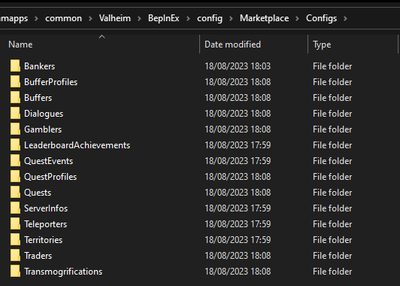
Configs/ on its own contains one subfolder per content type:
Player-side folders
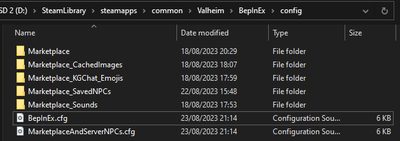
Live next to BepInEx/config/Marketplace/, not inside it — present on every installation, whether or not that computer is also the server:
| Folder | Purpose |
|---|---|
Marketplace_Sounds/ |
Drop .mp3 files here to use as sounds — see Custom assets. |
Marketplace_Models/ |
Drop .obj files here for custom NPC models. |
Marketplace_CachedImages/ |
Drop .png files here for <image=> references. |
Marketplace_VideoClips/ |
Drop video files here for the PlayVideo command. |
Marketplace_SavedNPCs/ |
Hammer-built NPC templates — see Saved NPCs. |
Marketplace_KGChat_Emojis/ |
Custom chat emoji images. |
Once you know where a file lives, the natural next question is what happens after you edit it — most of the time, nothing more than saving is needed; see Hot reload for exactly what applies live and what needs a manual refresh.
Related
- Installation — how to get the mod installed in the first place.
- Server, client, or singleplayer — which of the folders above exist on which machine.
- Hot reload — what happens after you edit a file in
Configs/. - Server config, Client config.